Beastfolk Barber Demo Download & Requirements
Confirm Steam install paths, Windows and macOS minimums, and disk space before Freddie opens the shop.
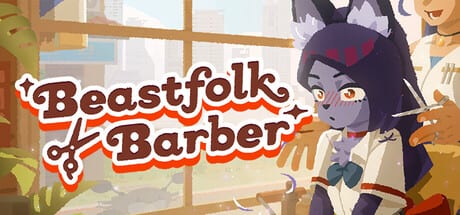
Installing the free Beastfolk Barber demo should be straightforward, but narrative sims still punish messy setups: missing DirectX updates, nearly full SSDs, or machines below the published minimums can turn a cozy first hour into hitching menus and muddy feedback. This page walks through how to download the demo from Steam, which app IDs matter, and the official Windows and macOS requirements published for the preview.
Steam apps you will see
Beastfolk Barber’s full game Steam app ID is 4093320. The free demo is a separate Steam item with app ID 4920000. Wishlist and follow the full game if you want launch news; install the demo app when you are ready to play today. Both pages are the authoritative source for patches, depots, and store copy. This unofficial wiki only mirrors the public specs so you can plan hardware and storage before you click Install.
After install, keep Steam’s overlay available if you like taking screenshots of hairstyles or customer reactions—those stills help when you later compare notes on Customers or write impressions under Review. If Steam asks to update redistributables, allow it. DirectX 11 is listed for Windows, and stale runtimes are a common cause of black screens on first launch.
Windows minimum requirements
The published Windows minimums for the Beastfolk Barber demo are:
- OS: Windows 11 64-bit (64-bit processor and OS required)
- CPU: Intel Core i5-1135G7 @ 2.40 GHz (or equivalent class)
- Memory: 8 GB RAM
- GPU: NVIDIA GeForce MX330 with 2 GB VRAM (or comparable)
- DirectX: Version 11
- Storage: about 4 GB available space (leave extra headroom so patches and shader caches do not fill the drive)
- Performance note: targets roughly 30 FPS at 1920×1080
Those numbers describe a modern integrated or entry laptop GPU tier rather than a high-end desktop. If your machine is older than Windows 11, do not assume the demo will launch just because other indie titles still support Windows 10. Stick to the published OS line unless the developers expand support later.
Close heavy Chrome profiles, recording software, and RGB suites before your first session. Narrative games that stream portraits, UI, and soft lighting can stutter when background apps steal the MX330-class GPU’s limited VRAM. After a clean install, play one short day, then check temperatures and FPS so you know whether to lower any available quality options.
macOS minimum requirements
The published macOS minimums are:
- OS: macOS Monterey
- CPU: 2.7 GHz Dual-Core Intel Core i5
- Memory: 8 GB RAM
- GPU: Intel Iris Graphics 6100
- Storage: about 4 GB available space (again, leave comfortable free headroom)
- Performance note: roughly 30 FPS at 1080p
Community coverage of the demo launch also mentions Apple Silicon (M1 and up) compatibility in practical playtests, but always verify the live Steam page for the build you download—store requirements can lag behind runtime support notes. For a platform-by-platform install walkthrough, use Windows & macOS setup. If you dual-boot or use external drives, install the demo on the faster internal volume so load times between customers stay pleasant. Dated launch context lives on Demo launch (August 2026).
Download checklist
- Open Steam and search for Beastfolk Barber Demo, or navigate via the full game’s “Download Demo” button.
- Confirm you are installing app 4920000, not a unrelated free weekend build.
- Choose a drive with several gigabytes free beyond the listed 2 GB.
- Let Steam finish redistributables, then launch once from the library.
- If the game fails to start, verify integrity of game files before reinstalling.
- Read What’s in the demo so you understand scope, then follow Getting Started for the first chair visits.
Performance expectations and handhelds
The 30 FPS / 1080p note is intentional. Beastfolk Barber prioritizes readable faces, mirror previews, and dialogue timing over competitive frame rates. If you are on a thin laptop with MX330-class graphics, plug in power, set Windows to a balanced or high-performance plan, and avoid forcing 120 Hz expectations in third-party overlays.
Steam Deck and other handhelds may run the demo depending on Proton and community tweaks, but they are not a substitute for the official Windows 11 / macOS Monterey lines above. Treat handheld success as bonus compatibility. When something feels off—input lag on scissors, hitching when the social feed opens—close overlays first, then retest.
After you install: systems to learn next
Hardware is only the gate. Gameplay literacy keeps the demo fun. Spend early minutes learning limited Mysterious Mirror previews on the Mysterious Mirror page and the practical guide How to use the Mirror. Pair haircut practice with Haircuts and conversations. When the first evening ends, study End-of-day loop and How to read the social feed so tomorrow’s customers feel informed rather than random.
Satisfaction, tips, and return visits are explained in Tips, feedback & returns and Keep customers coming back. Keep the Tools hub open if you want checklists beside the Steam window. When you are ready to judge the preview as a whole, return to the Demo Hub and skim Review for structured first-impression prompts.
Troubleshooting short list
- Won’t launch on Windows: confirm Windows 11 64-bit, update GPU drivers, repair DirectX/VC redistributables via Steam.
- Out of space mid-update: free 2–4 GB, move the library folder, or uninstall unused demos.
- Stutters only when recording: disable hardware encoding conflicts; capture at 30 FPS to match the game’s target.
- Mac launch issues: verify Monterey or newer per Steam, run from the Steam client rather than a copied .app, and check Privacy permissions if the OS blocks the binary.
If problems persist, use Steam Discussions for the demo app and include your CPU, GPU, OS build, and whether the failure happens before or after the first cutscene. This wiki cannot patch binaries—only help you prepare a clean install and understand what the Beastfolk Barber demo is trying to teach once it runs.
Frequently Asked Questions
Quick answers to the most common questions.
What is the Steam demo app ID for Beastfolk Barber?
The free demo is Steam app **4920000**. The full game page is app **4093320**. Install the demo item when you want to play the free preview.
Can I run the demo on Windows 10?
Published minimums list **Windows 11 64-bit**. Do not assume Windows 10 support unless the official Steam page changes.
How much disk space should I reserve?
Steam lists about **4 GB** available space. Leave comfortable free headroom so updates and caches do not fill the drive mid-session.
What Mac OS version is required?
The demo minimum lists **macOS Monterey**, a 2.7 GHz dual-core Intel i5, 8 GB RAM, and Intel Iris Graphics 6100.
What should I read after installing?
Start with Getting Started, then What's in the demo and How to use the Mirror.
Where is the Demo hub?
All demo pages are linked from the Demo Hub, including requirements and scope.