Beastfolk Barber Demo Hub
Install the free Steam preview, check your specs, and learn what the demo actually covers before you open the shop.
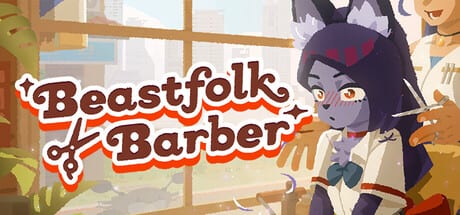
The Beastfolk Barber demo is the easiest way to meet Freddie’s barbershop before the full release date is announced. Safe Flight Games and GameWorks Ventures built this narrative simulation with development and publishing support from SIGONO INC., and the free Steam demo went live on August 6, 2026 for Windows and macOS. This hub gathers everything you need to install cleanly, understand the preview’s scope, and jump into systems that matter on day one.
Beastfolk Barber is a cozy narrative sim rather than a pure timing minigame. You play as Freddie, a barber serving beastfolk of every shape and temperament. Customers sit down with hopes, insecurities, and species-specific worries. You listen, style, and use the Mysterious Mirror’s limited previews to test looks before you commit. When the day ends, tips, feedback, and a city social feed help you plan the next visit. Satisfaction keeps people returning and stories advancing; a bad cut can quietly end an arc.
If you are brand new, start with Getting Started for a calm first-hour plan, then return here for download and scope details. Players who already installed should open What’s in the demo so they do not expect full-game length from a free preview. Hardware questions belong on Download & requirements and the step-by-step Windows & macOS setup page. Dated launch news lives under Updates, including Demo launch (August 2026).
Why the demo matters for wishlist decisions
Narrative barber sims succeed when dialogue, presentation, and systems feel interleaved. The demo is designed to prove that loop: cut, talk, preview, react, close the day, and read what the city says about your work. You will also glimpse the longer mystery—a demon appearing in the mirror with a bargain. Give her the perfect cut and she may undo a past regret, but only after you keep serving customers, gather resources, and learn how to cut a demon’s hair. The demo introduces that premise without spoiling every beat of the full campaign.
Because the full release remains TBA, the demo is also the best public statement of tone. Expect warm shop lighting, character-forward writing, and systems that reward observation more than button mashing. Compare that feel against other cozy narrative titles you already love, then decide whether to wishlist the main Steam app (4093320) after you finish a session. Our Review hub collects first-impression angles once you are ready to write notes.
How to use this Demo hub
Treat this page as a map, not a spoiler dump:
- Confirm your machine on Download & requirements.
- Install the free demo from Steam (demo app 4920000).
- Skim What’s in the demo so you know which loops are intentional versus truncated.
- Practice mirror discipline with How to use the Mirror and the Mysterious Mirror systems page.
- After a few customers, study Tips, feedback & returns and Keep customers coming back.
- Close each day with End-of-day loop and How to read the social feed.
- Use the Tools hub for checklists and helpers while you play.
Cross-link often. Customer personality notes live under Customers, while systems deep-dives sit under the Systems hub. Guides answer “how do I…” questions with step sequences; systems pages explain “why does this meter or mirror behave this way?” Keeping those two layers separate makes the wiki easier to search and less repetitive.
Platforms, languages, and expectations
The free demo targets Steam on Windows and macOS. Official language support on the storefront includes English, Japanese, Simplified Chinese, and Traditional Chinese for interface and subtitles. There is no advertised online multiplayer; this is a single-player narrative experience. Performance targets in the published minimum notes aim for about 30 FPS at 1080p, which matches the game’s conversational pacing better than a competitive esports target.
Do not assume every Steam Deck or handheld configuration is officially validated just because the PC demo runs on low-power GPUs. Check community reports after you install, and leave a little free disk beyond the listed 2 GB so Steam can patch without choking. When patch notes arrive, revisit this hub—demo scope can expand during festivals or showcase events.
Connecting demo play to the wider wiki
After your first evening in the shop, you will have opinions about Freddie, the mirror, and whether tip feedback feels fair. Capture those thoughts with the Review pages, then deepen mechanics with Haircuts and conversations. If a customer’s story stalls, revisit satisfaction rules before you blame “randomness.” Most arcs in Beastfolk Barber respond to how carefully you read the chair, not to invisible dice.
The demo also prepares you for resource gathering tied to the demon bargain. Even if the free preview only shows the beginning of that thread, practicing efficient days—listening well, spending mirror previews wisely, and scanning the social feed—builds habits the full game will reward. Bookmark Demo Hub so you can return whenever a friend asks “is the Beastfolk Barber demo worth installing?” and you need a single clean answer with links.
Finally, remember this wiki is unofficial. Always confirm installers, age ratings, and release messaging on the official Steam pages for the full game and the demo. Use our guides for orientation and systems literacy; use Steam for authenticity and updates.
Frequently Asked Questions
Quick answers to the most common questions.
Is the Beastfolk Barber demo free?
Yes. The Steam demo went live on August 6, 2026 for Windows and macOS. See What's in the demo for what the preview includes.
Where do I check PC or Mac requirements?
Open Download & requirements for Windows 11 and macOS Monterey minimums, GPU notes, DirectX 11, and storage guidance.
What should I play first after installing?
Follow Getting Started, then practice limited previews with How to use the Mirror.
When does the full Beastfolk Barber release?
The full release date is still TBA. Wishlist the main Steam app and treat the free demo as the current public build.
Where do tips and return visits get explained?
Read Tips, feedback & returns and Keep customers coming back after your first shop day.